MemoirCapsule & MMM

Your Personal, Open-Source Journaling Suite
A new chapter in digital journaling where your data belongs to you. Experience the freedom of a truly private, secure, and powerful journaling solution.

Key Highlights

Discover the features that make MemoirCapsule & MMM the next-generation solution for safe journaling

Total Data Ownership

Host it yourself. Your entries are stored locally in a transparent, organized file structure.

Military-Grade Encryption

Choose between Argon2 (maximum security) or PBKDF2 (security with recovery options) to protect your journals.

Rich Text Editor

A powerful, feature-packed editor for crafting beautiful entries with images, audio, and advanced formatting.

AI-Powered Assistance

Use local AI models to analyze your writing, check grammar, and gain insights.

"Time Travel" Undo System

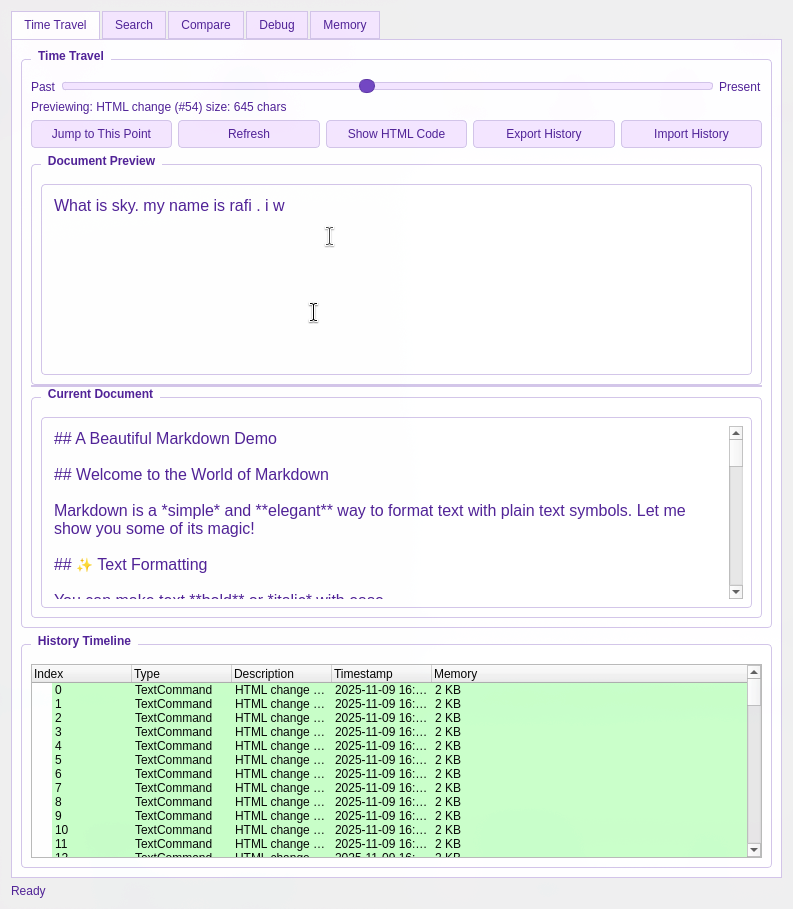
Navigate through your entire document history with a visual timeline.

Seamless Git Sync

Keep your journal synchronized and backed up across devices with GitHub, GitLab, or any Git provider.

MemoirCapsule: The Heart of Your Journal

The main application that organizes your life. It's the secure vault, the calendar, and the command center for your digital diary.

01

Welcome & Setup

Getting started is simple. The welcome window guides you through the initial setup, ensuring you're ready to begin your journaling journey with ease.
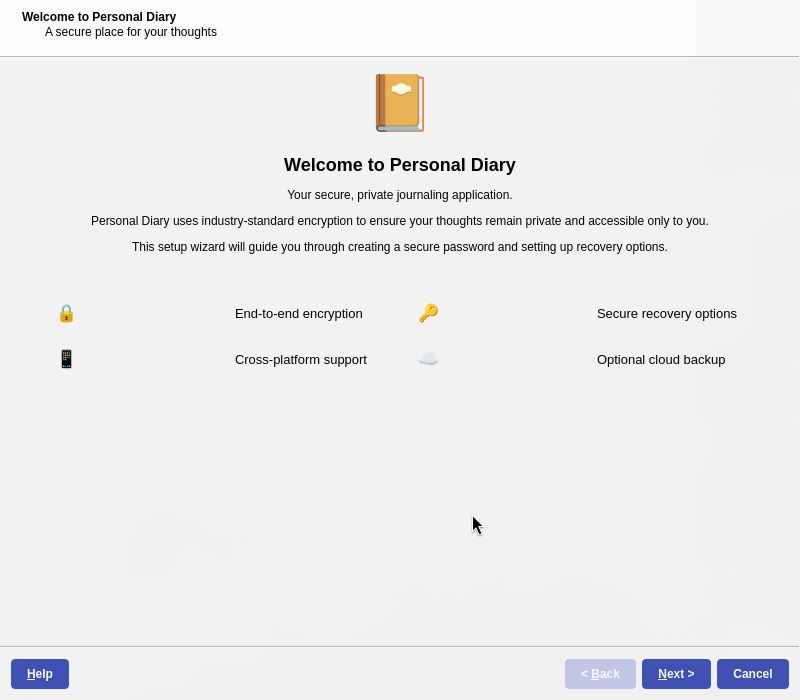
Easy Setup
Welcome Screen
02

Security First: Your Privacy is Paramount

Your journal is personal. MemoirCapsule ensures it stays that way with robust encryption options. Choose between Argon2 for maximum security or PBKDF2 with recovery options.
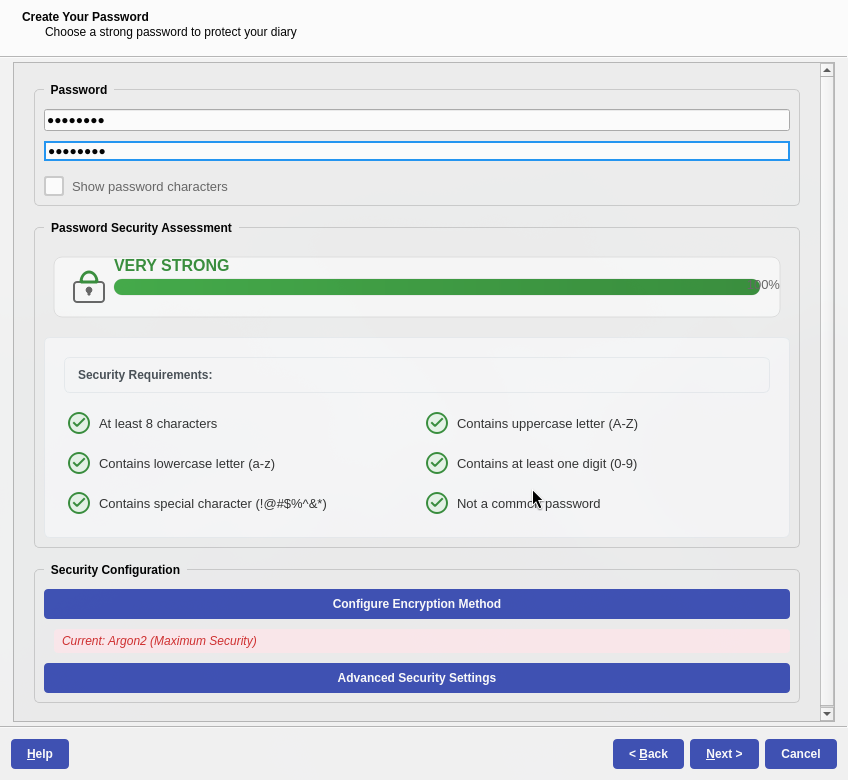
Secure
Encryption Key Setup
03

Seamless Backup & Sync

Your memories are irreplaceable. MemoirCapsule makes it easy to back them up to your preferred provider, including GitHub, GitLab, or cloud services like Google Drive.
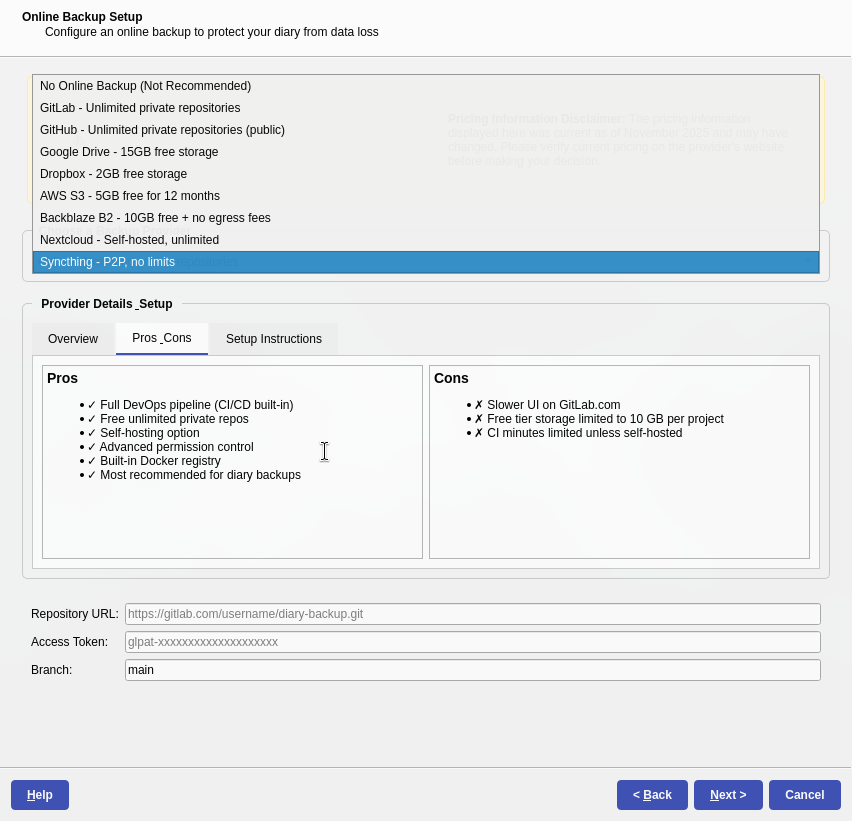
Cloud Ready
Backup Providers
04

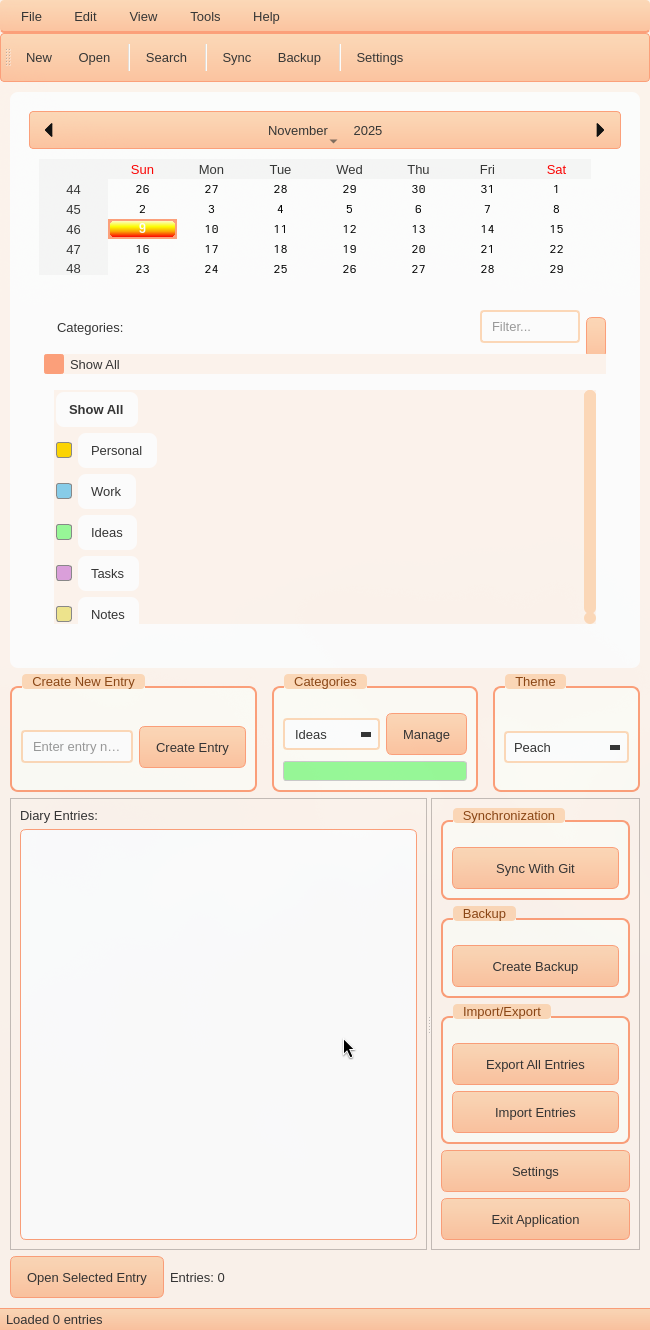
The Main Interface: Your Command Center

The main window is designed for intuitive navigation and organization with a calendar, categories, entry list, and quick actions.
Intuitive
Main Window
05

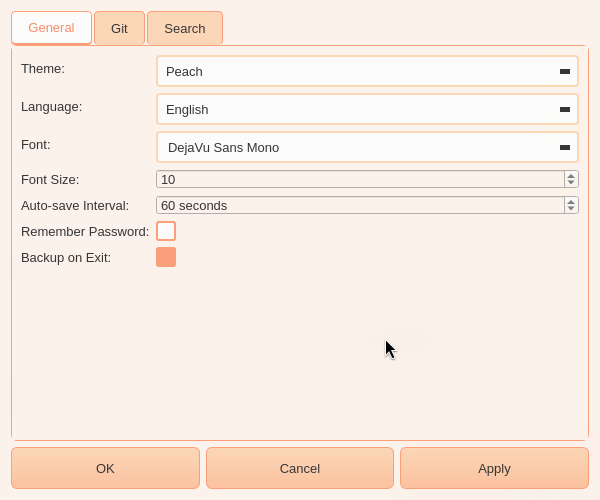
Personalization & Settings

Make MemoirCapsule truly yours. Change themes, adjust font sizes, configure autosave intervals, and set up your Git credentials all in one place.
Customizable
Settings Window

MemoirCapsule in Action

See the pre-release build demo to explore the features and capabilities of MemoirCapsule

MemoirCapsule | Pre-Release Build Demo

This comprehensive demo showcases the key features of MemoirCapsule, including the setup process, security options, backup configurations, and the main interface. Get a firsthand look at how MemoirCapsule puts you in control of your journaling experience with its intuitive design and powerful features.

MMM: The Magic Memory Mark-2 Editor

A powerful and privacy-focused text editor designed to handle everything from simple text to complex documents with rich media.

Featured
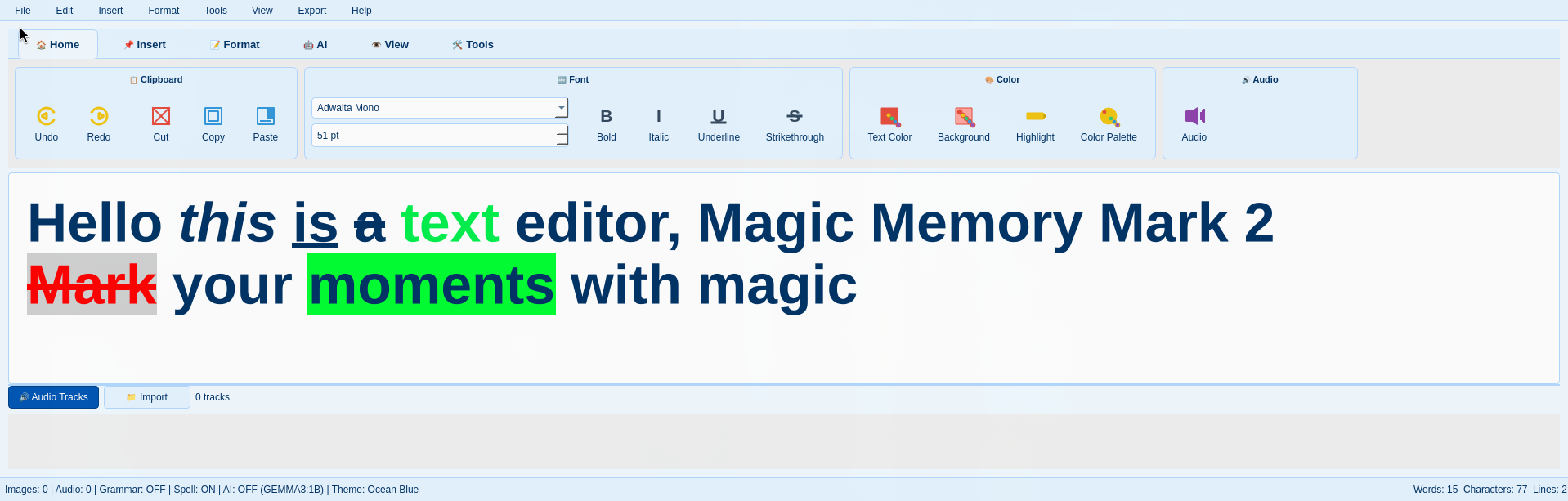
Home Features

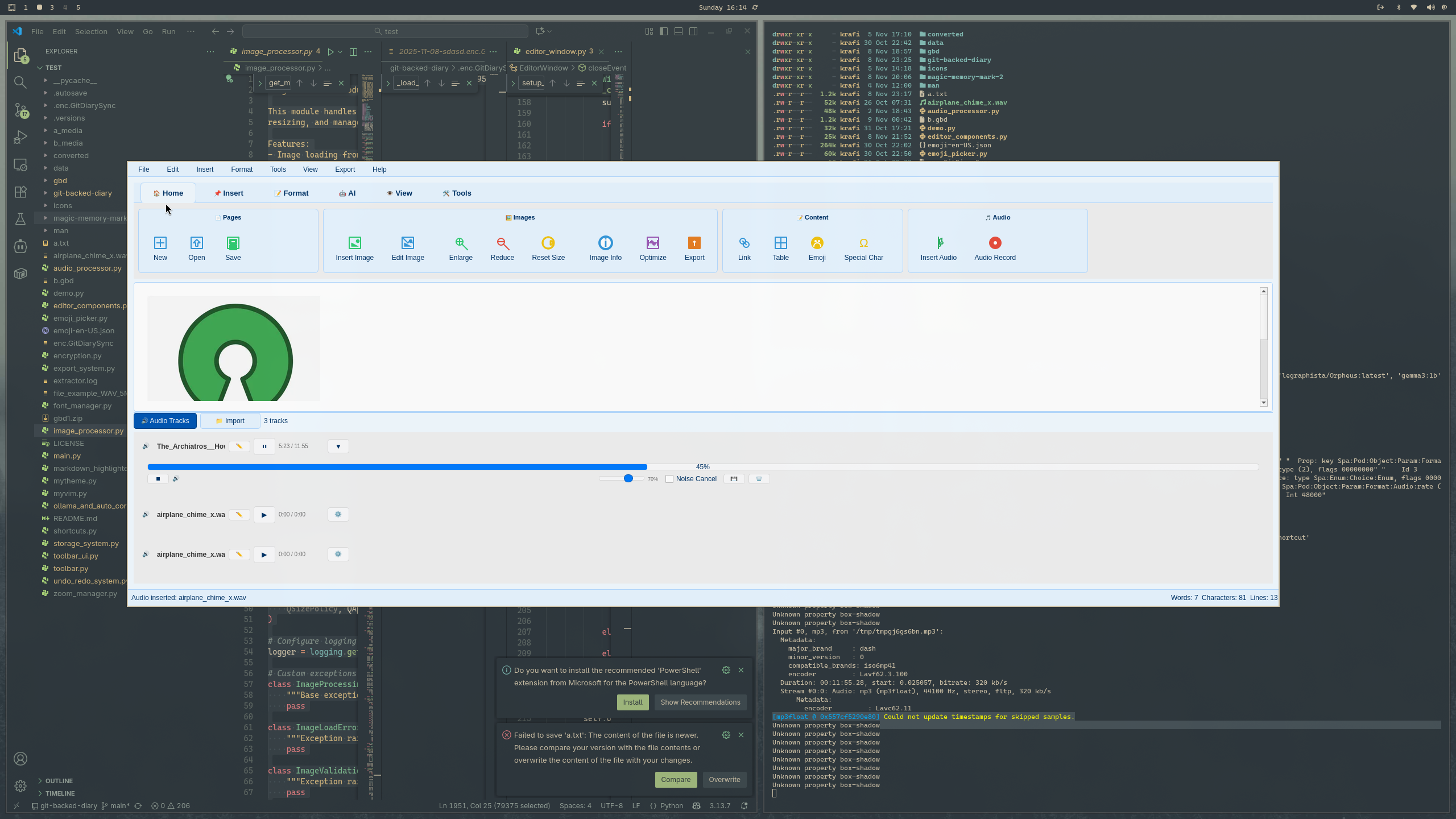
A Familiar, Modern Interface

The ribbon-style interface is organized and intuitive, putting powerful tools at your fingertips. With a clean layout and easy-to-navigate menus, you can focus on what matters most - your content.

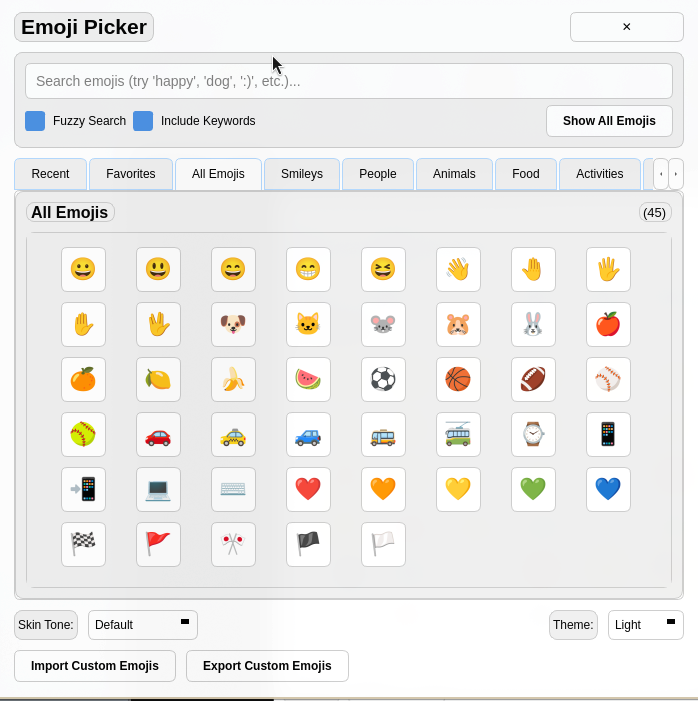
Emoji Features

Express Yourself

Use a wide array of emojis to add personality to your entries.

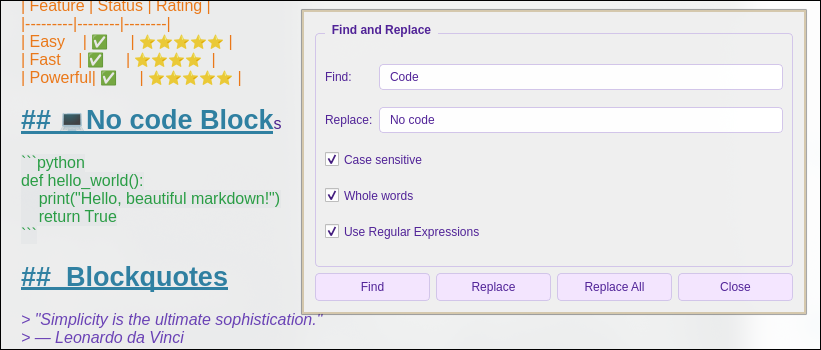
Find and Replace

Find and Replace

Efficiently search through your document with powerful tools.

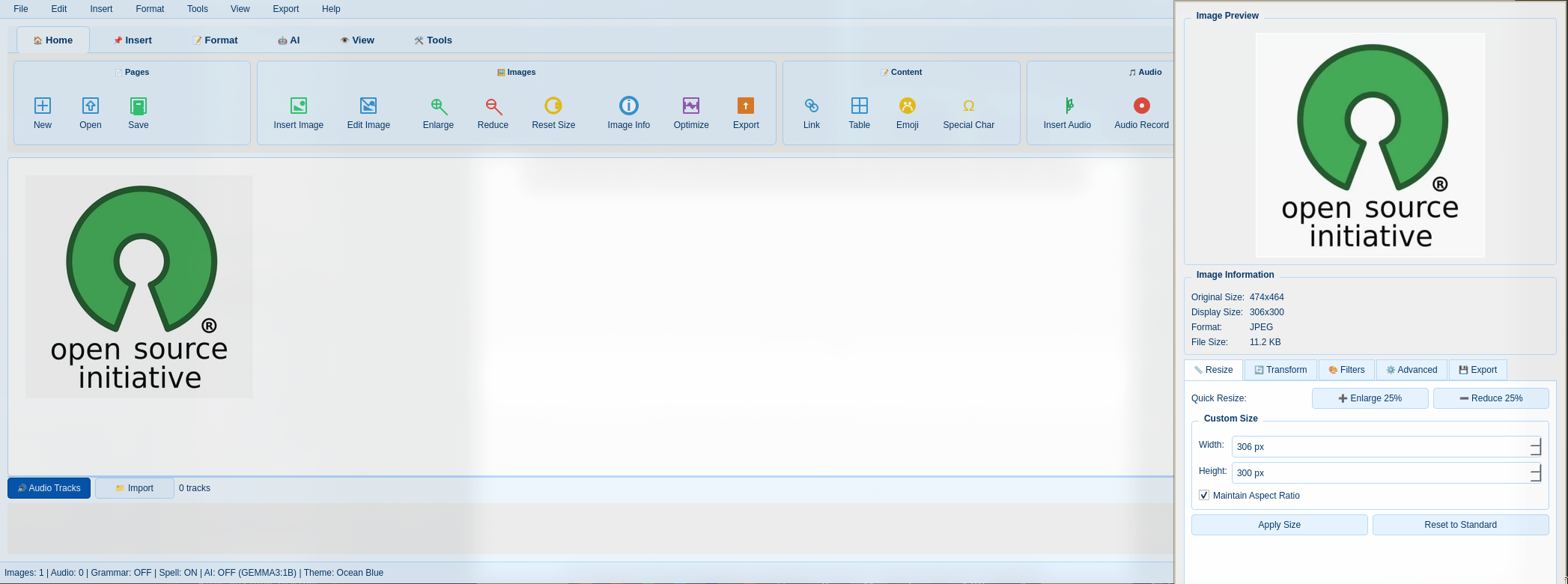
Image Editing

Image Editing

Insert, resize, filter, and annotate images directly in the editor.

Audio Features

Secure Audio

Record or add audio files, automatically converted to high-quality MP3.

Powerful
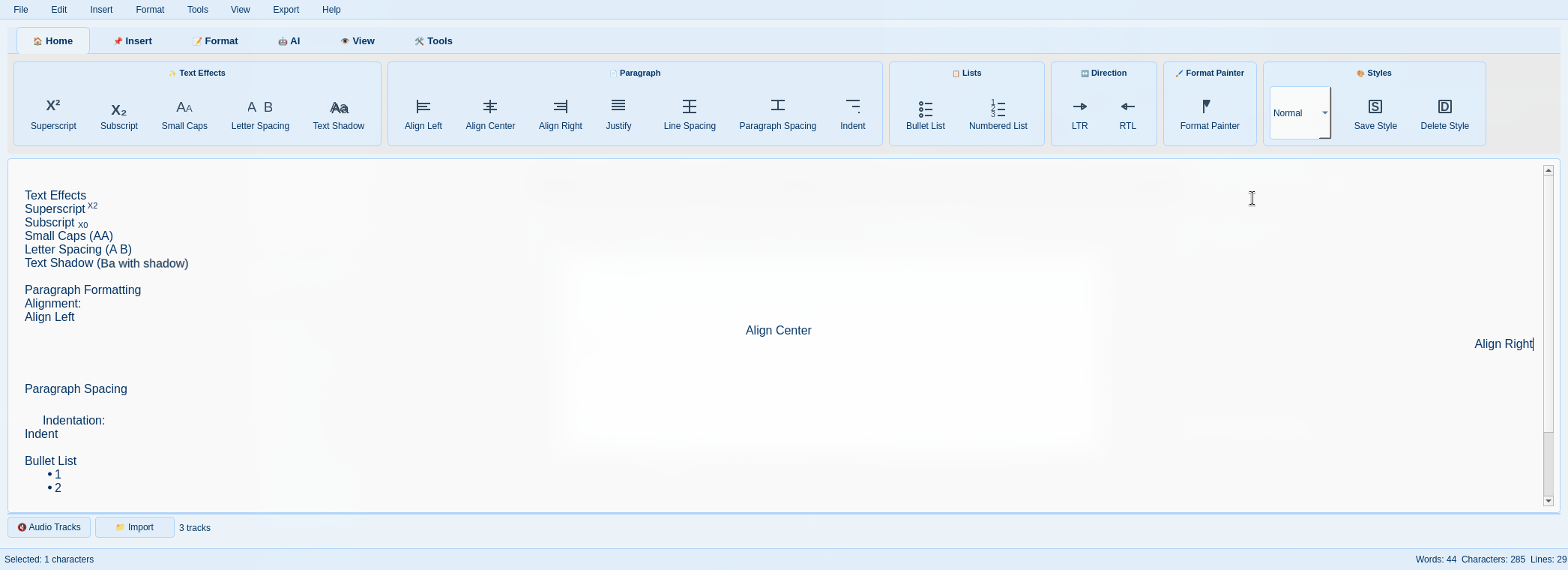
Text Formatting

Advanced Text Formatting

Create beautifully formatted entries with comprehensive text styling options. From bold and italic to custom fonts and colors, make your entries stand out with professional formatting tools.

AI-Powered
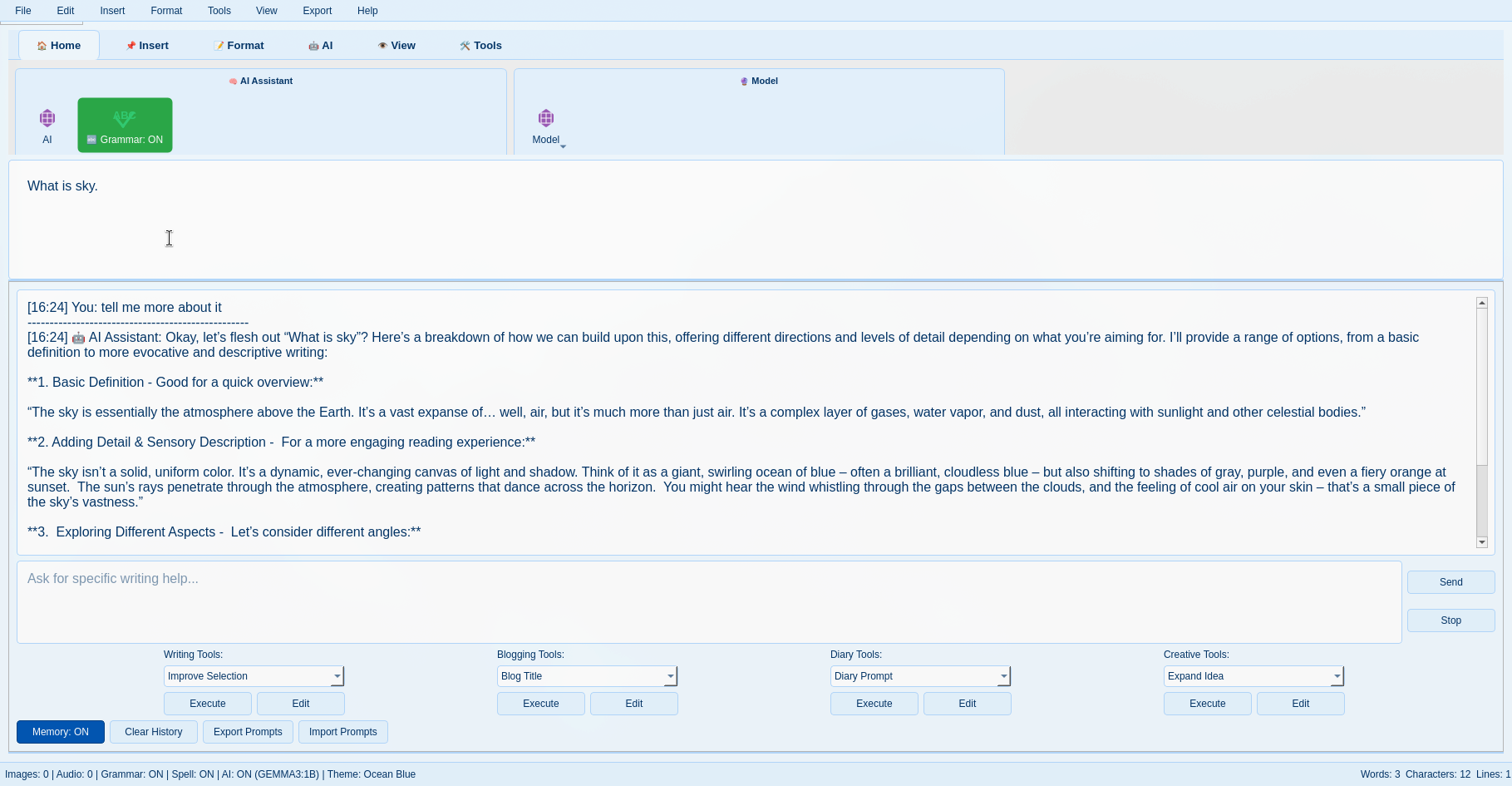
AI Features

AI-Powered Assistance

Enable AI features to get help from a local Ollama model. Ask questions about your own text, get summaries, rephrase sentences for better clarity, and gain insights into your writing patterns - all while keeping your data private.

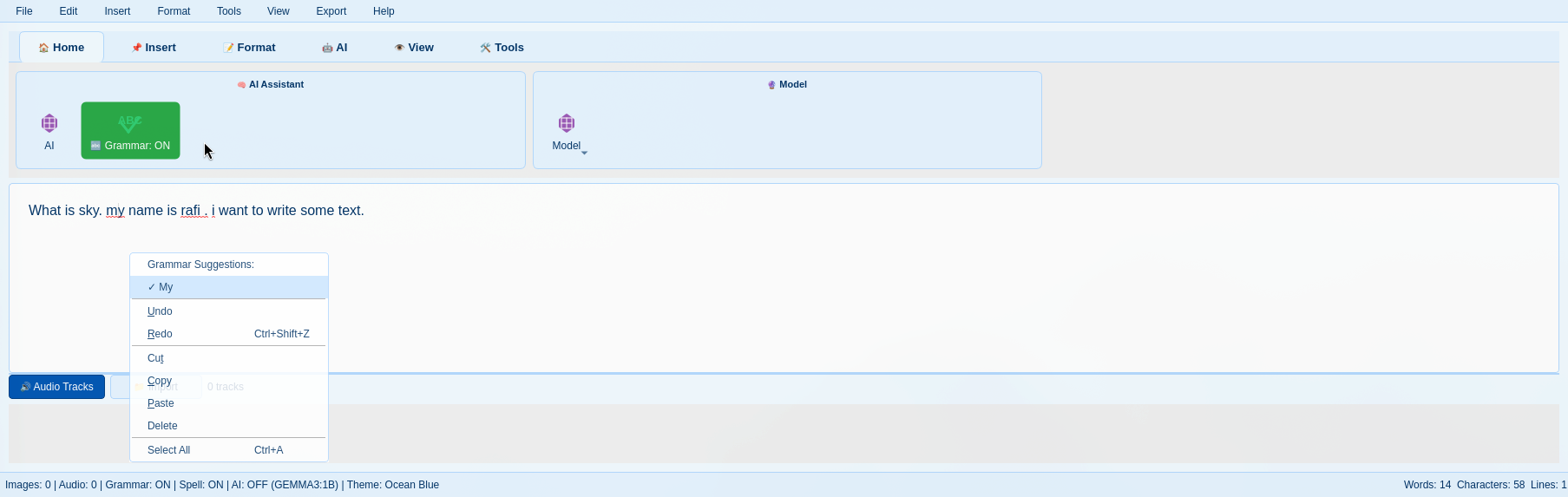
Grammar Feature

Grammar Checking

Built-in grammar checker with real-time suggestions and fixes.

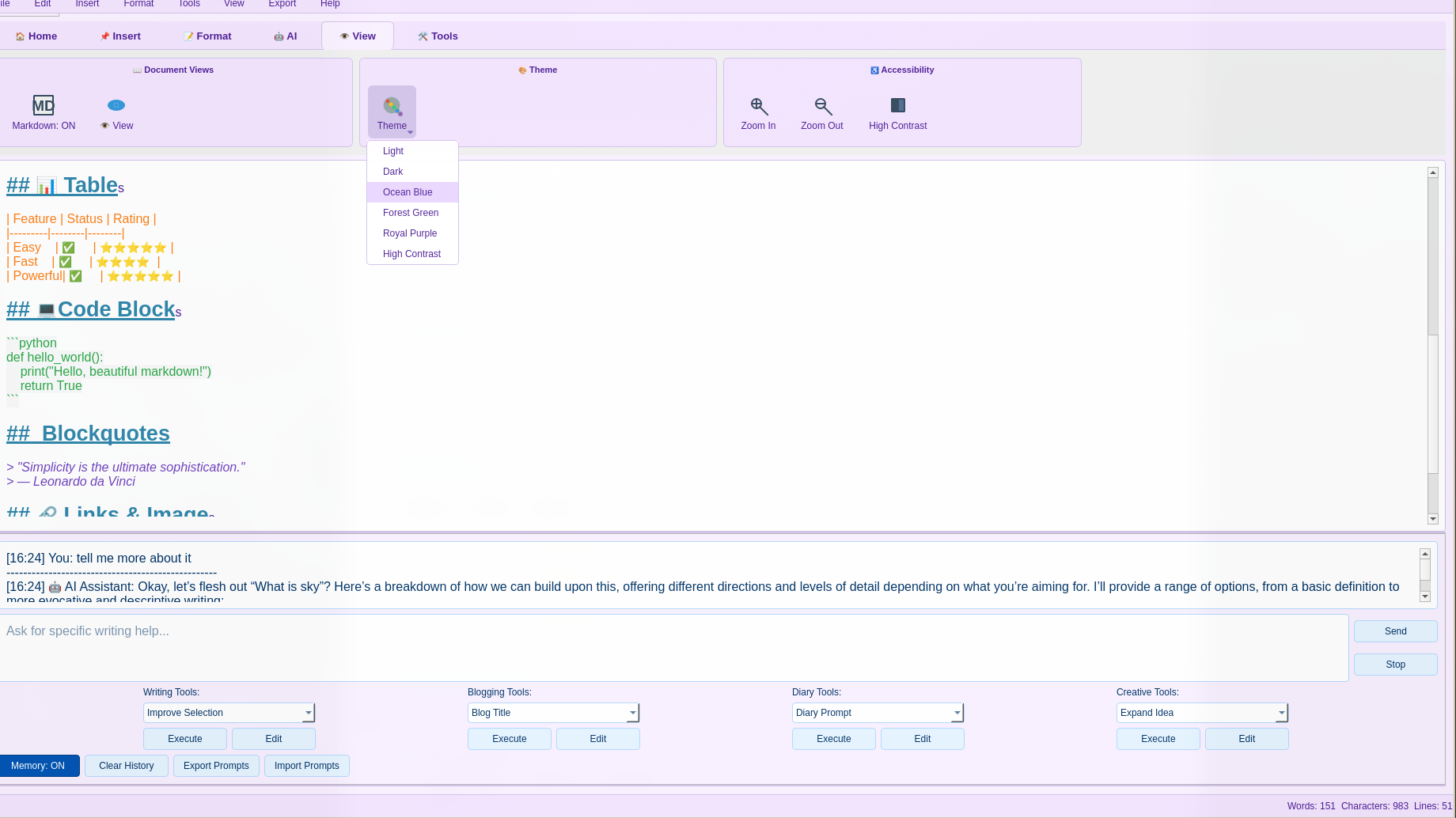
Theme Support

Theme Support

Customize the editor appearance with different themes.

Innovative
Time Travel

"Time Travel" Undo System

This is more than a simple undo/redo. The "Time Travel" feature provides a visual timeline of your entire document history. You can jump back to any point in time to retrieve content or see how your document evolved.

Advanced
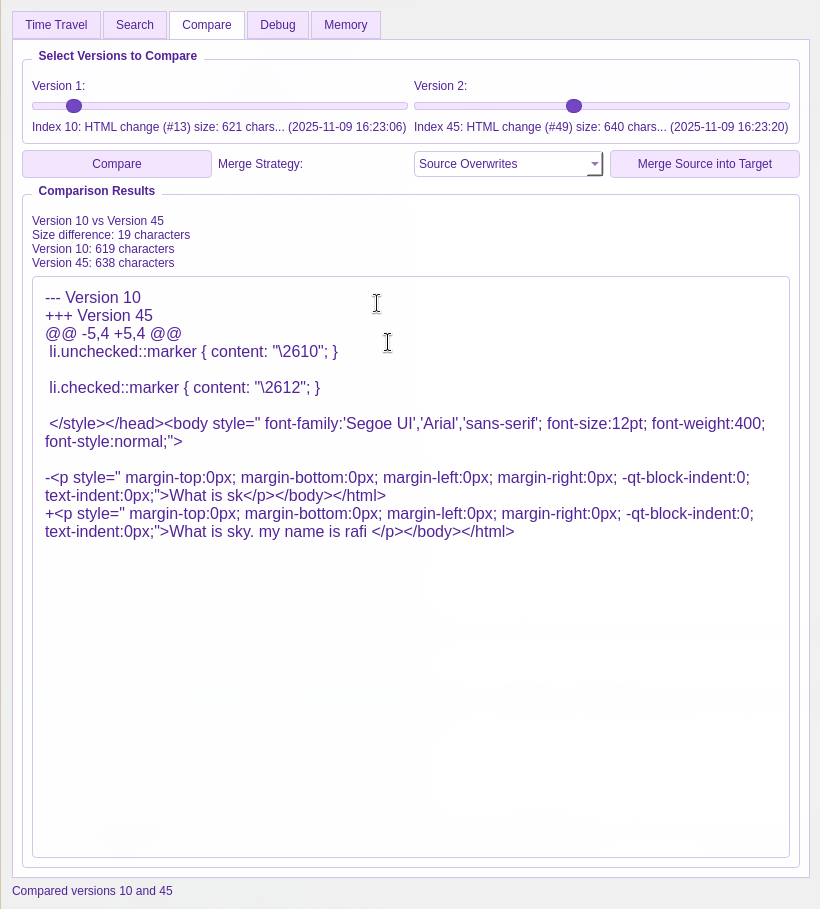
Compare Different Times

Compare Document History

You can even compare two different points in history to see exactly what changed. This powerful feature helps you track edits and understand the evolution of your thoughts.

Flexible
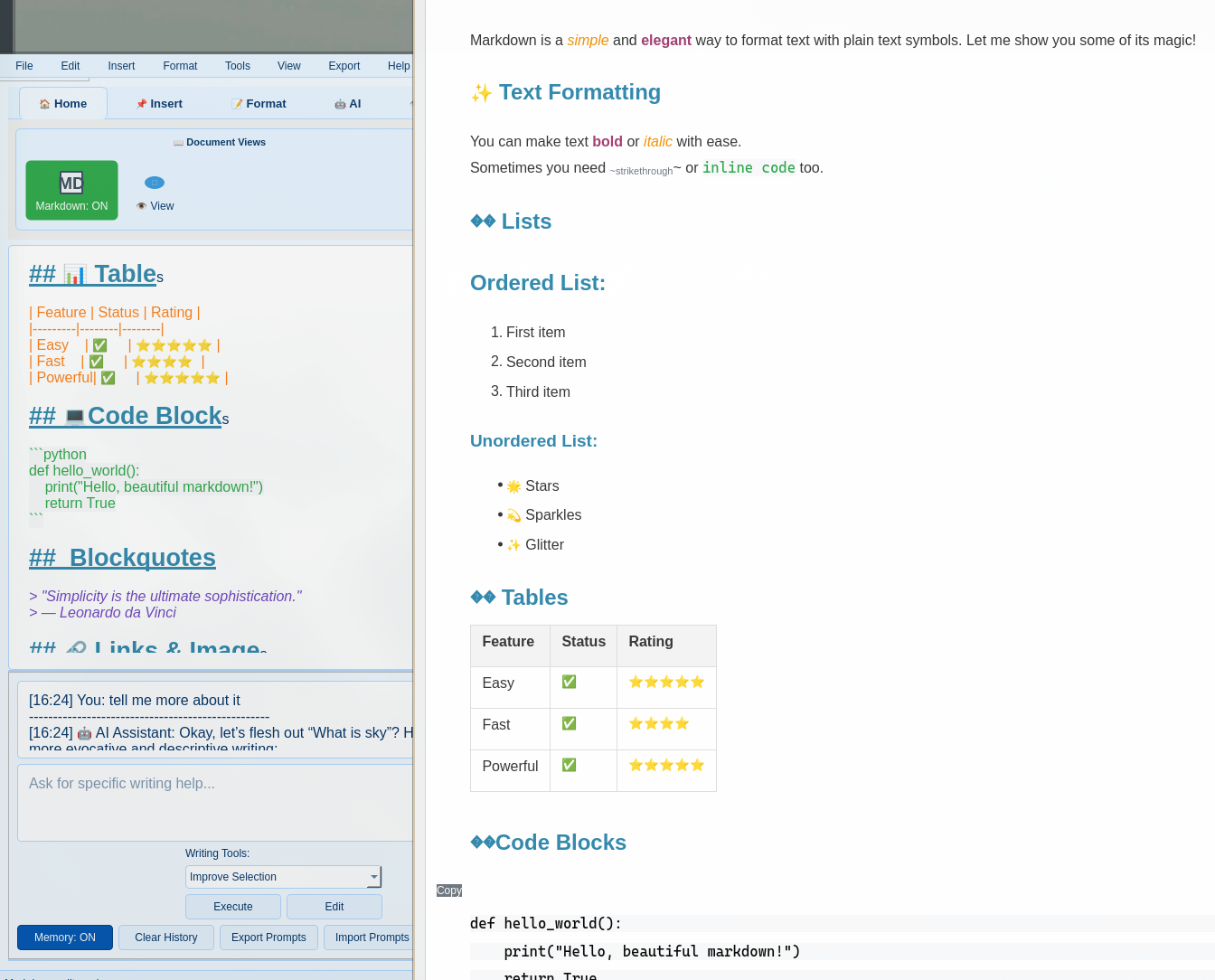
Markdown Features

Markdown Support

Write in pure Markdown and toggle between the code and rendered view instantly. Perfect for those who prefer the simplicity of Markdown syntax while still having access to rich formatting features.

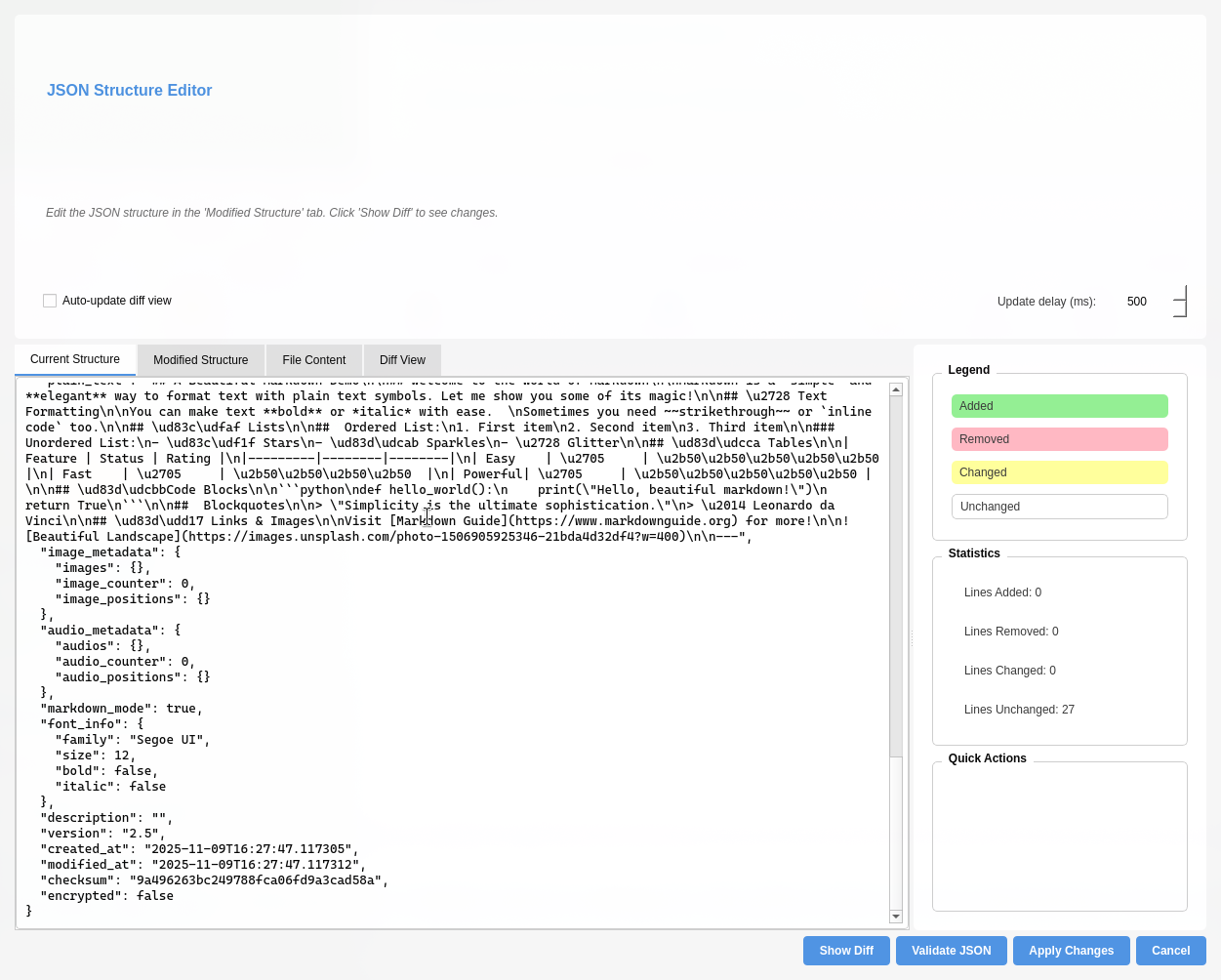
JSON Structure

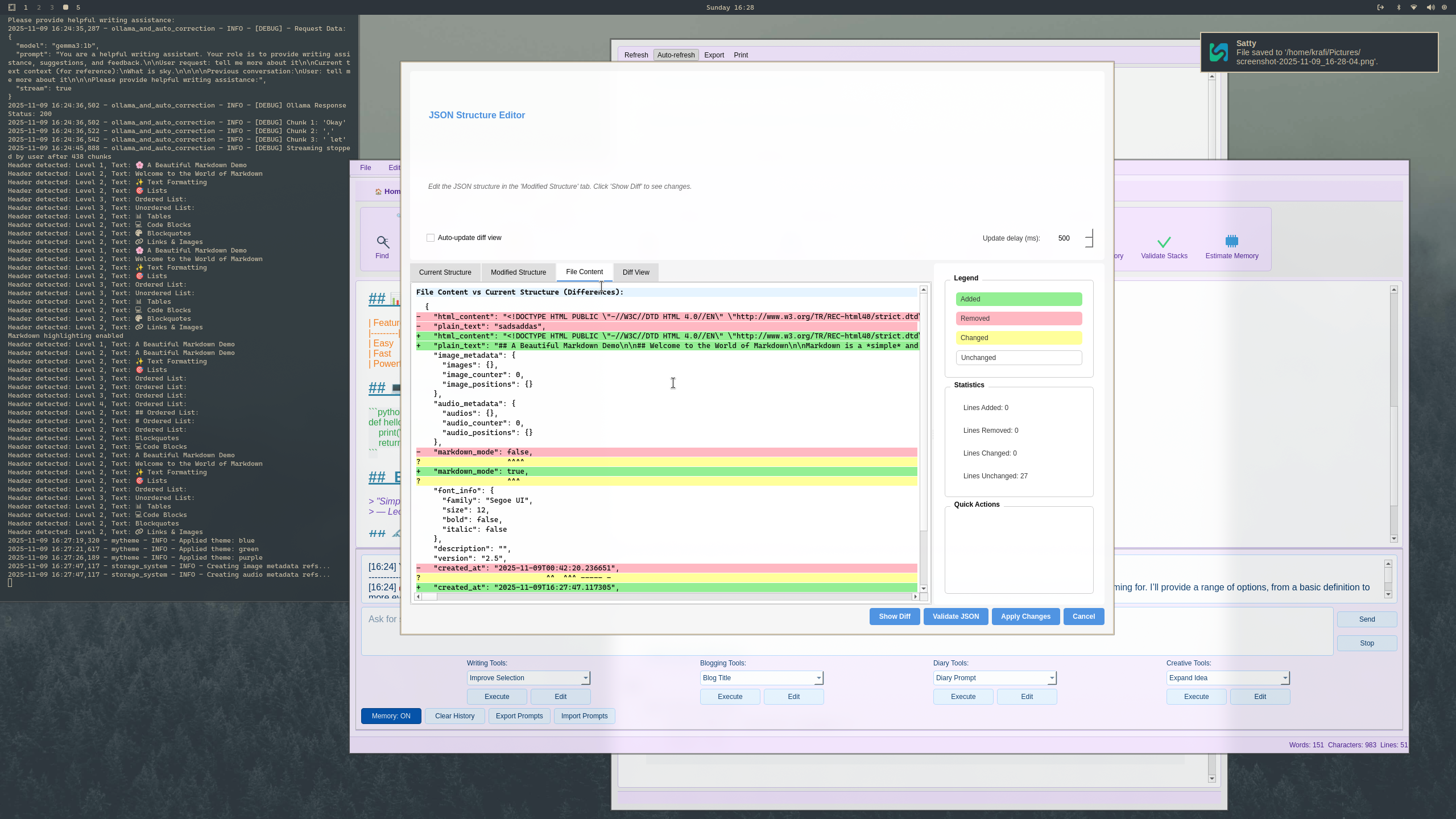
View JSON Structure

View and edit the JSON structure directly within MMM.

JSON Structure Diff

Data Transparency

See exactly how your data is stored and structured.

MMM Editor in Action

Watch the pre-release build demo to explore the advanced features of the Magic Memory Mark-2 Editor

Magic Memory Mark-2 | Pre-Release Build Demo

This comprehensive demo showcases the powerful features of the MMM editor, including advanced text formatting, image editing, audio recording, AI integration, and the innovative "Time Travel" undo system. See how MMM combines the familiarity of traditional editors with modern features to create a truly unique journaling experience.

The .gbd File Format: Your Data, Your Structure

We believe in transparency. Your journal entries aren't locked in a black box. They are stored as individual .gbd files in a clear, human-readable folder structure.

File Organization

Your entries are organized in a clear date-based structure:

/
└── 2025/
    └── 06/
        └── 18/
            └── todays_posterpost_experience.gbd

The .gbd JSON Structure

Each .gbd file is a JSON object containing all the data related to your entry:

{
  "html_content": "The actual document content",
  "plain_text": "A simple text-only version",
  "image_metadata": "path to image",
  "audio_metadata": "path to audio",
  "font_info": "How the text looks",
  "description": "A short summary",
  "version": "Which version of the app created it",
  "created_at": "When it was first made",
  "modified_at": "When it was last changed",
  "checksum": "A unique fingerprint"
}
JSON Structure

Getting Started

Follow these simple steps to begin your journaling journey with MemoirCapsule & MMM

1

Clone the Repository

Get the source code from GitLab

git clone https://gitlab.com/krafi/memoircapsule.git
git clone https://gitlab.com/krafi/magic-memory-mark-2.git
2

Install Dependencies

Follow the build instructions for each project

3

Run MemoirCapsule

Launch the main application and begin your journaling journey

View Documentation